Start with a workload, not a capacity slogan
A memory upgrade should answer a specific problem. Perhaps a game becomes hesitant when a browser and voice chat are open, or a heavily modified simulation uses more memory than the unmodified version. Those are different situations from a graphics card struggling to render a high-resolution scene. More system RAM will not automatically solve both.
Read the game's recommended requirements, then observe memory use during a representative session. Include the tools you normally keep open. Task Manager can show whether available memory becomes scarce, but one screenshot is not a diagnosis. Record when a hitch occurs and whether closing an unnecessary application changes it. High allocation can include useful caching, so a large number by itself is not a reason to buy parts.
Check the platform before the shopping basket
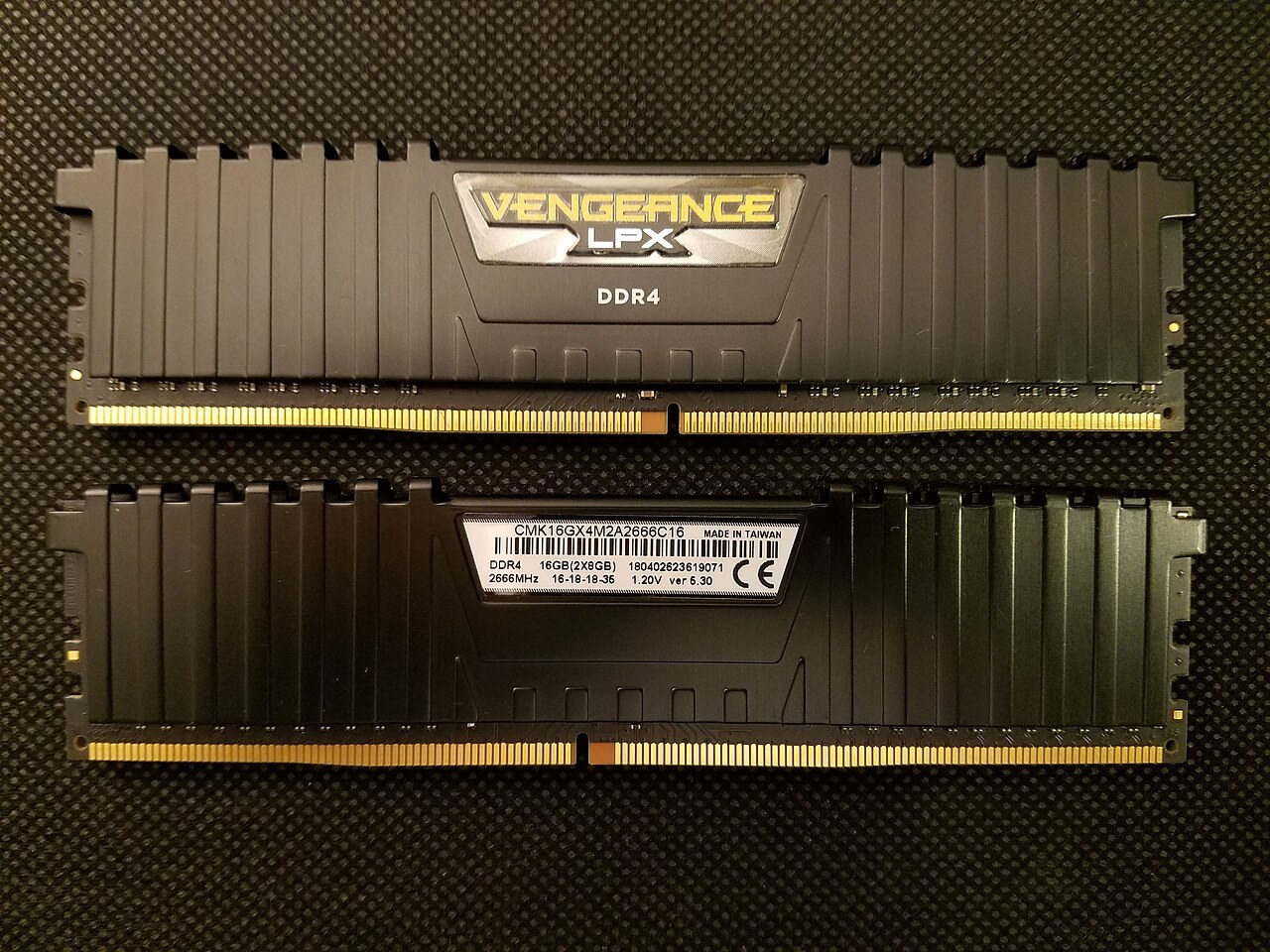
Find the exact motherboard or laptop model and its memory specification. DDR4 and DDR5 are different physical and electrical standards; they are not interchangeable upgrades. A desktop DIMM also does not become a laptop SO-DIMM because both advertise the same capacity. Some laptops have soldered memory and offer no user upgrade at all.
Count the installed modules and available slots. A machine with two modules already installed presents a different purchase decision from one with a single module and a vacant matching slot. Consult the motherboard's recommended slot arrangement. Capacity, supported module combinations and attainable operating speed all matter; an advertised kit speed is not a promise that every processor and board combination will run it.
Buying a matched kit removes some uncertainty compared with combining independently purchased modules, even when their labels look similar. Keep the old working configuration available until the replacement has passed the manufacturer's recommended checks and your normal games run reliably.
Compare two upgrade decisions
Consider a PC that runs its usual game smoothly until the player opens a large set of browser tabs and recording tools. If repeated tests show memory pressure at that point, more compatible capacity may be a reasonable response. The alternative is to reduce the simultaneous workload. Compare the cost of the upgrade with how often that extra workload is actually useful.
Now consider a PC with plenty of available system memory whose frame rate improves when rendering resolution is reduced. That observation points towards a different limitation. Adding RAM simply because a guide calls a larger amount future-proof may leave the original problem unchanged. Keep system RAM separate from the graphics card's dedicated video memory when reading an overlay; they are not interchangeable pools you can upgrade in the same way.
For a machine with two occupied slots and no empty ones, the purchase may require replacing the current kit rather than adding a single module. Include that full replacement cost in the comparison. Check whether the old kit can be kept as a troubleshooting fallback, and avoid assuming that four occupied slots will always reach the same profile speed as two. The motherboard's documented supported configurations are the starting point.
After any change, repeat both the ordinary gaming session and the heavier multitasking session. A successful boot confirms only that the machine started. Stability over the actual workload, correct detected capacity and the absence of new errors are the useful checks before considering the upgrade finished.
Spend on headroom you can use
Suppose a player rarely runs anything beside one modest game, while another runs a large simulation, a browser reference library and recording software. The second workload may justify more capacity without implying that the first player's computer is inadequate. Compare these actual uses instead of choosing the largest number available.
Memory frequency and timings can affect performance, but capacity shortages should be separated from fine tuning. Optional memory profiles change operating parameters and may need platform-specific support; leave manual voltage experiments out of a routine capacity upgrade. After fitting compatible memory according to the equipment instructions, check that the full amount is detected and repeat the original workload. A successful purchase is one that resolves the identified limitation with stable operation.