Start with the people sharing the room
Before choosing speakers, consider when you play and what other people need to hear. A pair that sounds clear close to the desk at moderate volume may suit a shared room better than a larger system intended to fill it. Decide whether late sessions will use headphones and whether voice chat needs a separate arrangement.
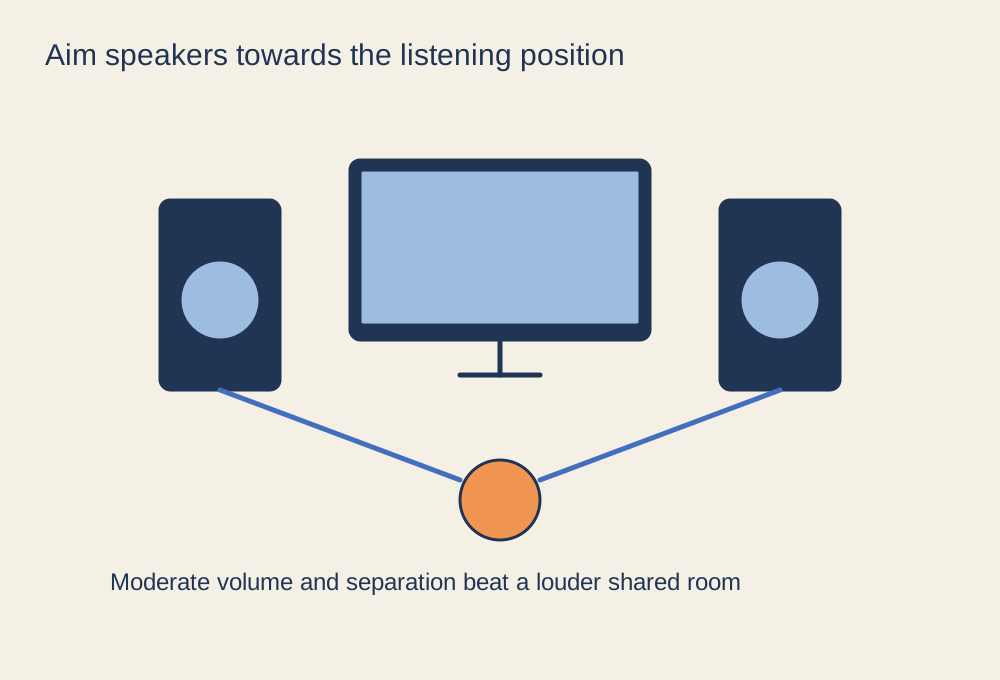
Place the left and right speakers on the corresponding sides of the display, aimed towards your listening position. Keep them stable and avoid blocking one behind the monitor. Try to give both a reasonably similar path to your ears. If one sits inside a shelf and the other in open space, the imbalance may be physical rather than something a software equaliser can neatly fix.
Listen at the level you will use
Test dialogue and quiet game sounds at an ordinary listening level. If you keep increasing the volume to understand speech, check the game's mix presets and speech settings. Loud bass can mask other details and travel through a shared space, so assess it from outside the immediate desk area as well. Speaker size or a subwoofer does not automatically make a setup more suitable for that room.
Check for rattles from the desk, nearby objects or loose stands. Move the offending object before applying strong equalisation. Follow the speaker instructions for positioning and ventilation, particularly when placing a powered unit close to a wall. A small placement change can alter the result enough that comparing settings beforehand wastes time.
Keep voice chat from feeding back
A microphone can pick up the sound coming from the speakers and send it back to your friends. Test with someone who can tell you whether they hear an echo. Lower speaker volume, improve microphone placement and use the chat application's suitable voice-activation or push-to-talk options. Headphones are often the simpler choice when the room layout makes speaker leakage hard to control.
Check the selected audio output after reconnecting a headset or controller, because the system may choose a different device. Keep a quick way to reduce volume within reach. A shared-space setup works best when speech remains clear, other people are not surprised by sudden loud output, and changing between speakers and headphones does not require rebuilding the desk.