Where input begins
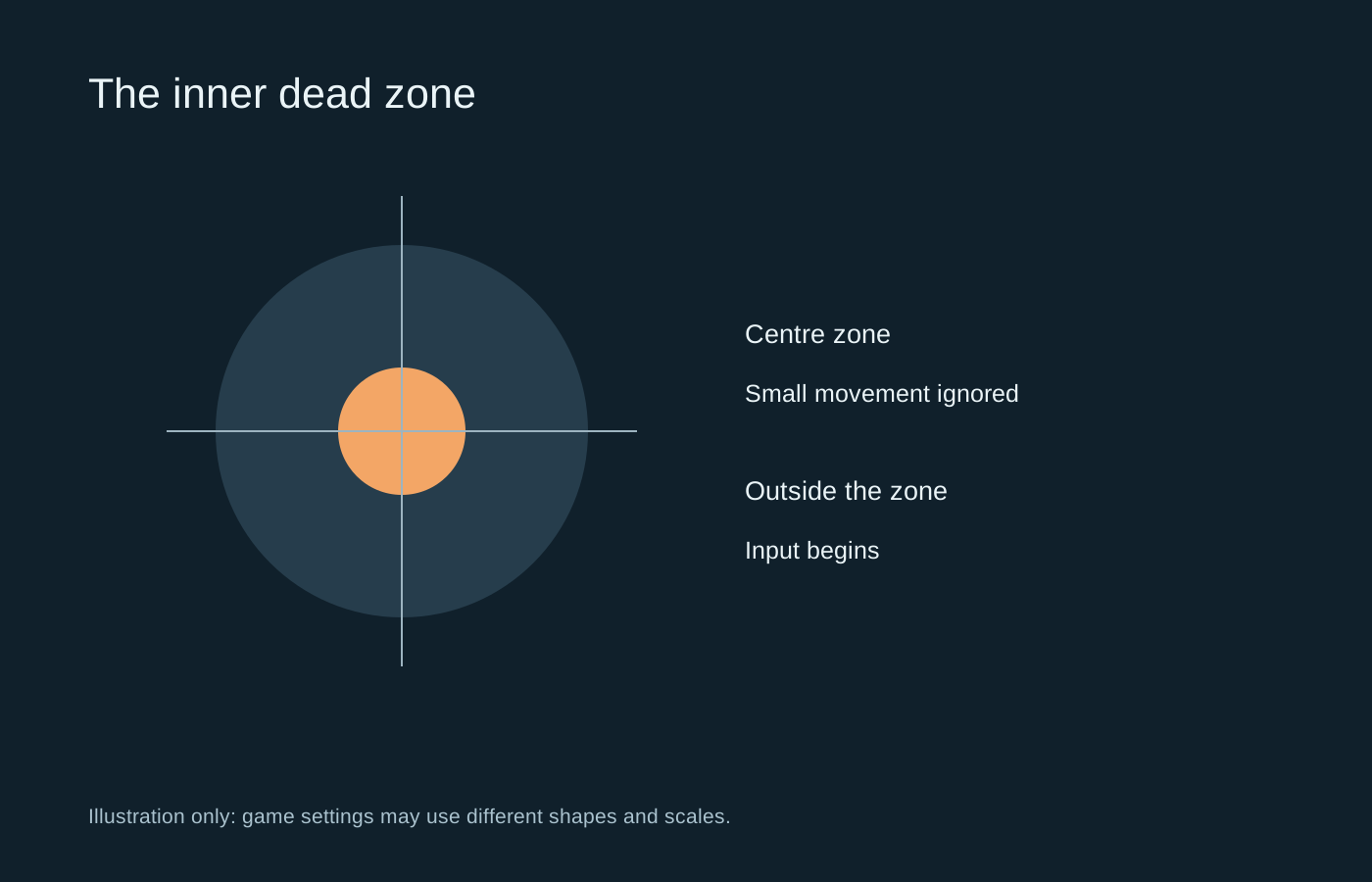
A stick rarely returns to a mathematically perfect centre every time. An inner dead zone ignores a small area around that centre so tiny variations do not move a character or camera. Outside that area, the game begins to respond according to its sensitivity and response curve.
An outer dead zone concerns the other end of the movement range: how far the stick must travel before the game treats it as full input. These settings solve different problems. A centre drift issue is not normally a reason to change the outer threshold first.
Make the smallest useful adjustment
Use a quiet practice area and release the stick completely. If the camera or character moves, increase the relevant inner dead zone a little and test again. Then try a deliberate small movement. The aim is to prevent unwanted input while retaining controllable movement near centre.
Making the zone very large can create a noticeable gap before movement starts. You then move farther to get a response, which may make fine corrections harder. A value borrowed from another player is not a reliable target because controllers, games and input processing differ.
Test each stick separately. A left stick used for movement and a right stick used for aiming may need different treatment. Also check whether the game uses a radial, axial or otherwise shaped region; equal-looking percentages do not guarantee identical behaviour between games.
Watch for stacked settings
The controller software, Steam Input and the game may each apply processing. If you change all three, it can become unclear which layer is responsible for the feel. Start from a known configuration and adjust one layer at a time. Save a screenshot or profile before experimenting.
Some tools offer an anti-dead-zone option that pushes small inputs past a game’s built-in threshold. That is a different operation from simply reducing your own inner zone. Too much compensation can turn the first small movement into a jump. Read the tool’s description rather than treating every slider with dead zone in its name as interchangeable.
Know when the setting is hiding a fault
A modest adjustment may accommodate normal variation or a small offset. It cannot repair a worn mechanism, loose part or damaged sensor. If the required zone grows over time, or movement appears far from centre with the stick released, record the behaviour for the manufacturer’s support process.
Test another supported game or the controller’s official input screen to establish whether the problem follows the device. Keep the test controlled: a changed aim curve, gyro input or another connected controller can complicate the result. Once you find a stable setting, revisit it only when a symptom or game change gives you a reason.