Sort for the next decision
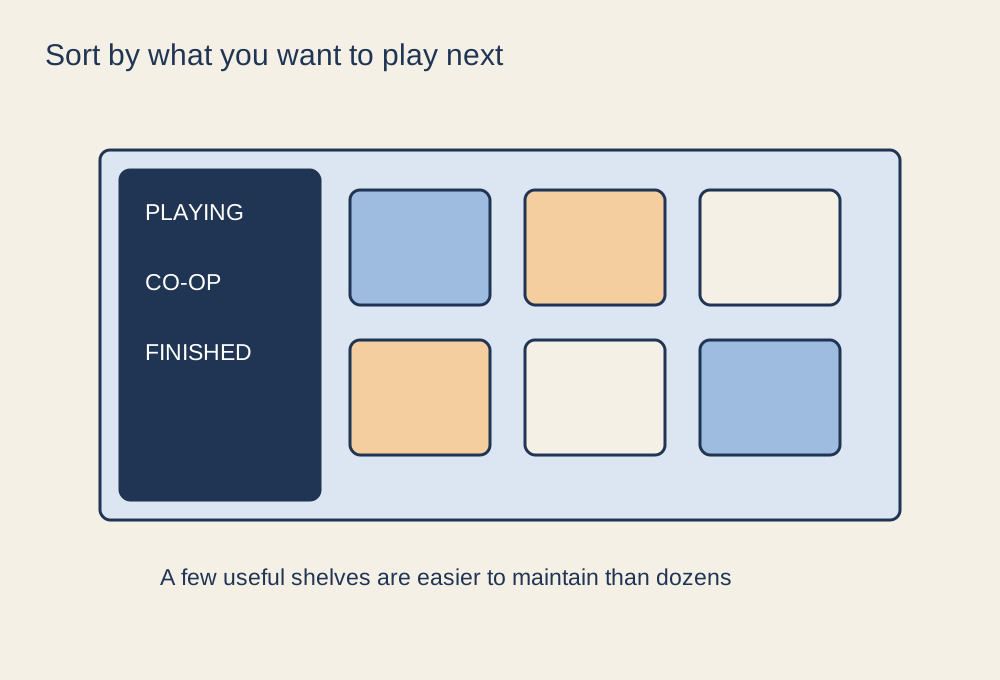
A large library becomes easier to browse when its organisation answers a question you actually ask. “What can I play with these friends?” or “What can I resume tonight?” is more useful than an elaborate classification system you never consult. Begin with a few collections such as playing now, co-op and finished, then add another only when it solves a recurring problem.
Keep the active collection small enough to scan. A hundred games marked as currently playing recreate the original problem under a new heading. Move a game out when you no longer expect to return soon; this does not have to mean that you disliked it or must never play it again.
Use the launcher’s filters before duplicating them
Steam's library offers collections and browsing features that can help separate games without moving installation files. Other launchers have their own options. Check available filters for installed status, controller support or relevant features before making a manual collection that repeats a filter you already have.
Be careful with automatic categories. A store tag may not match the exact way your group wants to play. A co-op label, for example, does not settle local versus online support or the number of players. Keep a small verified group list if those details regularly affect your plans.
Leave yourself a useful return note
For a game paused midway through, record the current objective and any setup you need to remember. A short note about a mod version, control exception or save slot can save more time than another category. Use a private note where necessary rather than placing account details or personal information in public community content.
Review the library when choosing a new game, not as a daily administrative task. Remove obsolete labels and merge collections that serve the same purpose. Uninstalling a game to free space is a separate decision from deleting saves or removing an account entitlement, so read prompts carefully and confirm how the game stores progress.
The library should make choosing and resuming easier. If maintaining the system takes longer than deciding what to play, simplify it. A small active shelf and a reliable way to find co-op games can be enough without turning leisure time into a spreadsheet.