Start with the items you cannot shrink
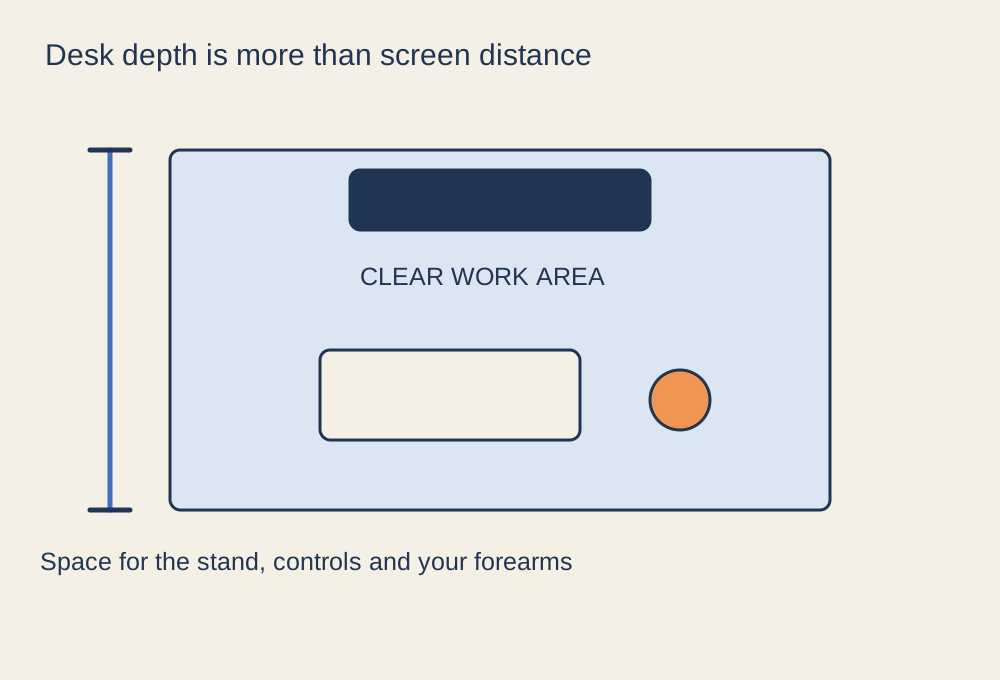
Desk depth is often described as a single measurement, but a gaming setup uses that space in several layers. The monitor stand occupies the rear, the keyboard and mouse need a working area, and the front edge must leave a comfortable place for your arms. A deep display stand can use more room than the screen itself suggests.
Measure your actual equipment or use the dimensions in the product manuals. Include the rear overhang and cable connections rather than measuring only the visible base. If the desk is against a wall, allow room for the cable to leave the socket without a sharp bend. A keyboard tray, where suitable, changes the layout but also needs leg clearance and a stable working height.
Mock up the position
Put the chair where you normally sit and arrange the keyboard and mouse first. Keep your shoulders relaxed and the controls within easy reach. Then place the display at a readable position without forcing the controls forwards. A cardboard outline can stand in for equipment you have not purchased.
Try a familiar game as well as a page of text. If you repeatedly lean forward to read, check text scaling and screen position rather than automatically buying a shallower desk or a bigger monitor. If you lean back to take in the whole screen, consider whether the display is too close for your preferred use. There is no single depth that suits every screen size, stand and person.
Leave room for ordinary movements
Move the mouse as far as you do in a game, not just as far as browsing a web page requires. Check that the keyboard does not force the mouse hand to the edge. Put a controller, drink and notebook in their usual places to see whether occasional items consume the space you thought was free.
A monitor arm may free the stand footprint, but check its mounting requirements and how far its joints project behind the desk. Wall mounting also needs a suitable wall and installation. Neither option creates room for your legs or corrects an unsuitable desk height. Choose depth after testing the whole sitting arrangement; a tidy photograph cannot tell you how much usable space remains during play.