Begin at the floor
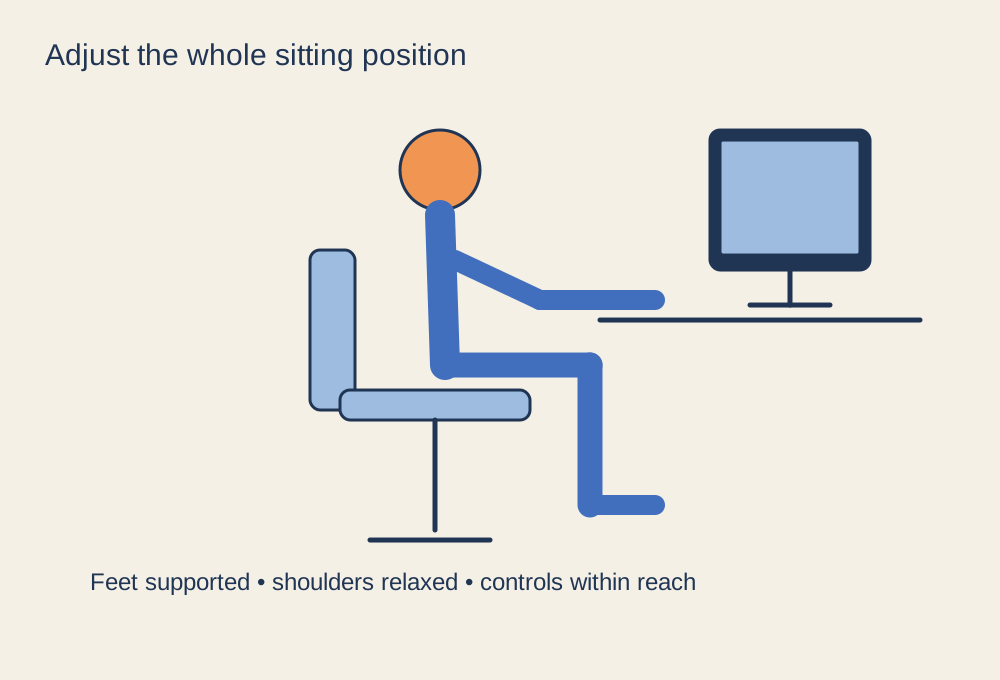
Sit with your feet supported and adjust the chair so the seat does not press uncomfortably behind your knees. Use the chair's controls according to its manual. If raising the chair to reach a fixed-height desk leaves your feet unsupported, a suitable footrest may help. Do not solve that mismatch by perching at the front of the seat for the entire session.
Set the backrest so it supports you in a position you can maintain without forcing your shoulders forward. A chair labelled for gaming does not remove the need for adjustment. Seat depth, armrest position and the range of each mechanism matter more than the styling of the backrest.
Bring the controls to you
Place the keyboard and mouse where your arms can reach them without stretching. Keep the mouse near the keyboard rather than beyond an unused section of desk. Adjust armrests so they do not push your shoulders upwards or prevent you from moving close enough to the desk. If they collide with the desktop, reassess their height and position instead of sitting farther away and reaching.
Try the setup with your normal input method. A controller session and a keyboard-and-mouse session may suit different arm positions. Avoid resting a heavy edge of the desk against your forearms while assuming the chair alone needs changing. Small changes to control placement can matter as much as another chair adjustment.
Set the screen after the seat
Once your sitting position is settled, place the main display in front of you at a readable height and distance. Avoid repeatedly tipping your head to see the top or bottom of the image. Text scaling and interface settings can improve legibility without moving the whole screen very close. People using different vision correction may need a different screen position, so use comfort and professional advice where relevant rather than copying a photograph.
Spend a short ordinary session in the arrangement, then note what you keep correcting: leaning, reaching, sliding forwards or lifting a shoulder. Change one part and try again. Leave space to stand and move away from the desk, and take breaks rather than treating one seated posture as something to hold indefinitely. Persistent discomfort deserves attention beyond adjusting a gaming chair; do not keep playing through it while waiting for a new accessory to solve the problem.