Begin with the email account
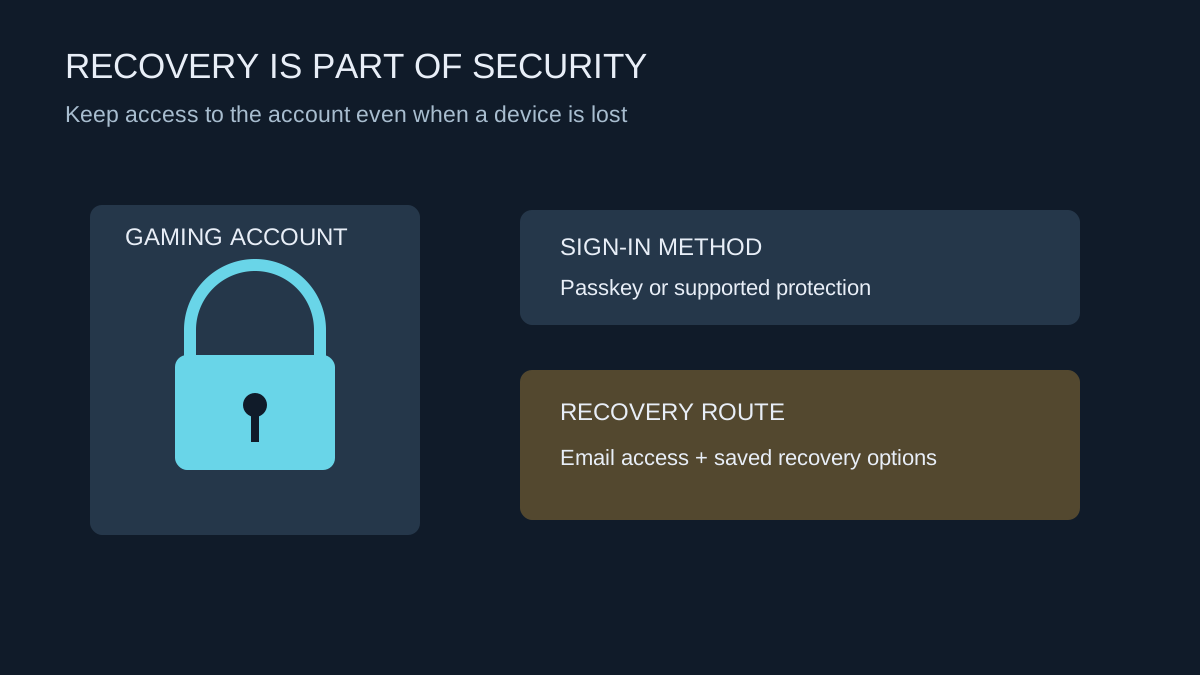
A gaming account often relies on an email address for notifications and recovery. If that mailbox is inaccessible or poorly protected, changing only the gaming password leaves an important weakness. Confirm that you can sign into the mailbox and that its own recovery information is current.
Use a unique password wherever a password remains part of the sign-in method. Reusing the same one across a gaming service, email and an unrelated shop means a problem at one service can create work across all three. A password manager can help maintain different credentials without keeping them in an exposed note beside the computer.
Use the platform’s supported protection
Where available, consider a passkey or the service's supported multifactor option. PlayStation provides passkey setup through its account controls. Follow the official instructions for the devices you use, including how a passkey is stored or synchronised and how to sign in on another device.
Do not assume that every account uses the same recovery process after enabling a new sign-in method. Read it before completing the change. Check that you still have an independent way to recover access if the phone is lost, replaced or unavailable.
If the service issues recovery codes, store them securely outside the device whose loss they are meant to cover. They are credentials, not harmless reference numbers. Do not post them in support screenshots or send them to someone offering to recover the account for a fee.
Recognise requests that should not be trusted
An urgent message about a tournament prize, free currency or account suspension can be designed to move you to a false sign-in page. Open the official app or type the known service address yourself rather than following an unexpected login link. Check messages in the account's own interface where possible.
Support staff do not need you to publish a password or one-time sign-in code in a public chat. Be especially careful with someone asking to share your screen while recovery details are visible. A person who knows your display name or recent game is not automatically an authorised representative.
Review shared devices and purchases
On a family console, keep adult purchase permissions separate from a child's profile. Set the supported purchase-authentication controls and check what a guest can access. Convenience settings that sign in automatically deserve review before a device is lent or sold.
Check linked accounts and recognised devices periodically, especially after a phone replacement or unexplained sign-in notice. Remove access through the platform's official controls when it is no longer needed. Before transferring ownership of a console, follow the manufacturer's account-removal and reset process; deleting a game does not sign the device out of everything.
If access has already changed
Use the service's official account-recovery route from a device you trust. Secure the associated email account as well, and preserve relevant notifications or transaction references for support. Avoid repeatedly handing new codes to an unknown helper who contacted you first.
Once access is restored, review payment activity, linked accounts and recovery settings rather than stopping at a successful login. Keep a private record of the changes you made. The objective is to restore a sign-in arrangement you control and can recover, not merely to get back into one match for the evening.